Built for a smaller screen
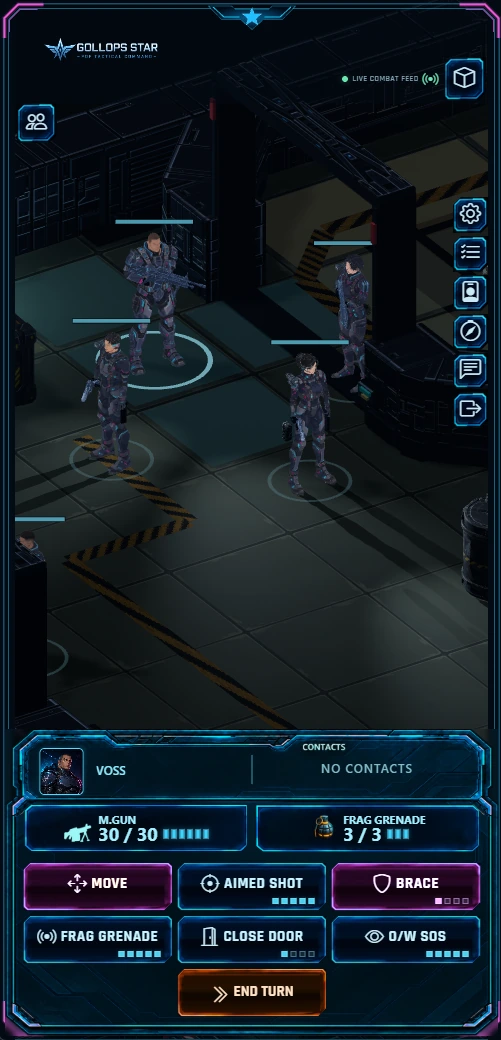
The mobile tactical dock now uses dedicated frame artwork and a three-column button layout. Actions use 48-pixel-high buttons, with labels and AP indicators kept visible. End Turn sits alongside the available actions rather than being lost outside the dock.
Your squad information, reorganised
The selected soldier and contacts share the top row. Ammunition and consumable information sit underneath in separate frames, followed by the action buttons. The layout adapts as available actions change.
Smoother interface resizing
Dock resize updates are scheduled through animation frames, with the recorded dock height updated only when it changes. This follows the earlier mobile canvas sizing fix.
The image above is an actual mobile-interface capture supplied from the game. Full physical-device and campaign regression testing remains outstanding.